A visual editor with a section library
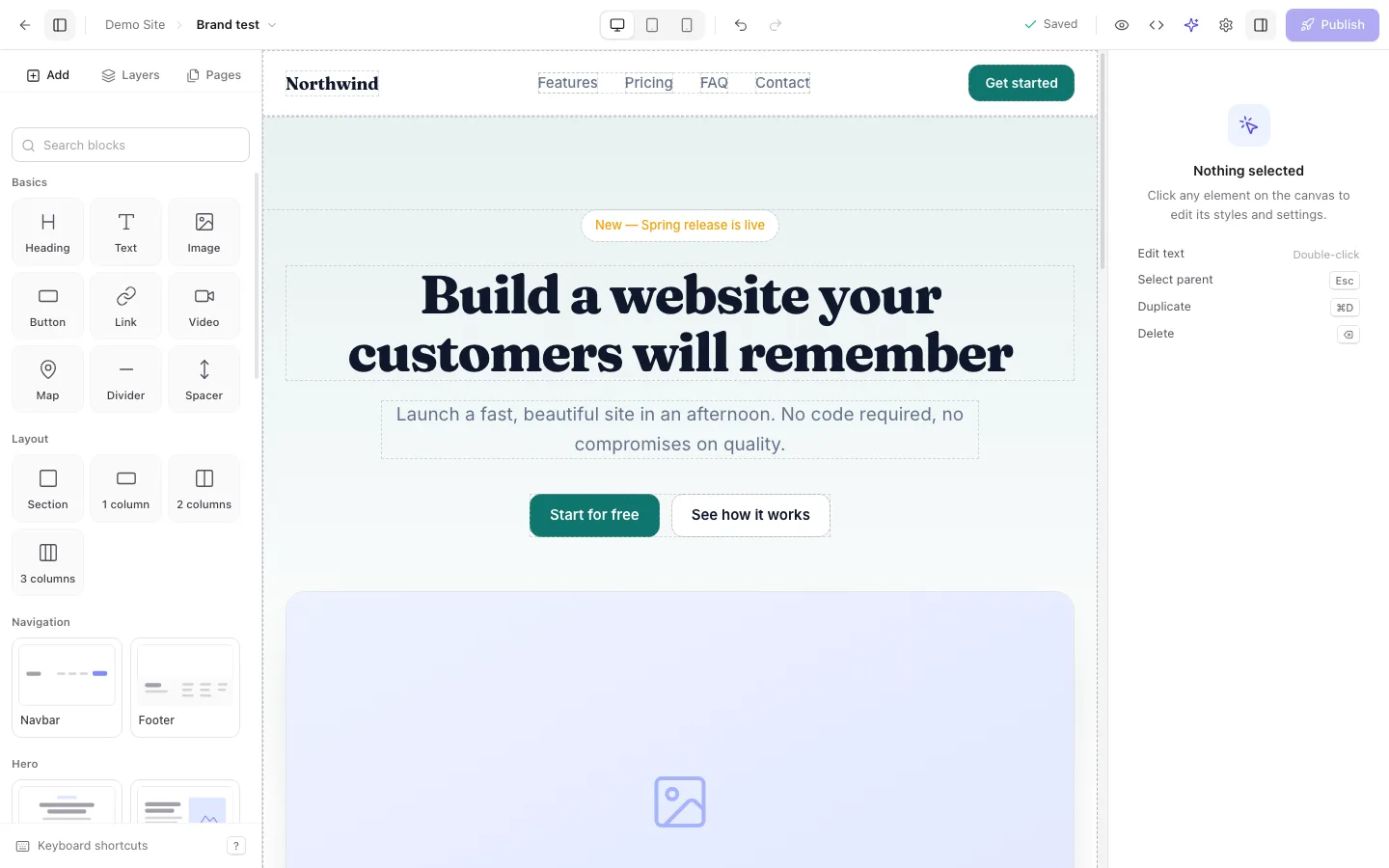
Drag in heroes, feature grids, pricing tables and footers that already follow the workspace brand. Then refine anything: layout, spacing, typography, per-device styles, layers, and the code itself.
Give every client a workspace with its own brand kit. Build pages from ready-made sections or ask the AI assistant, then publish to their domain in one click, on infrastructure you own.
Self-hosted on Gitea and Coolify. Your sites, your repositories, your domains.
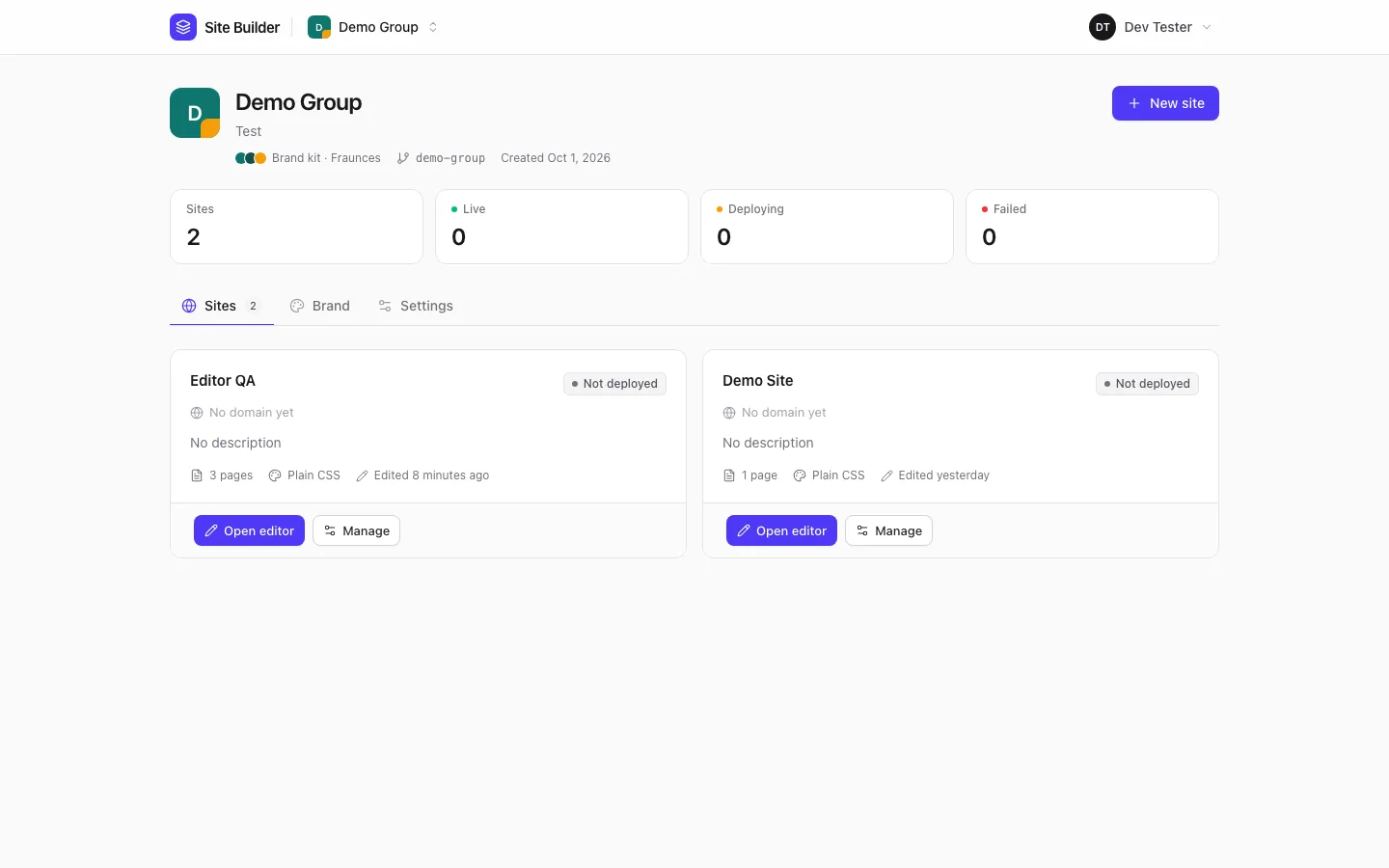
The structure mirrors how agencies work: a workspace per client, sites inside it, pages inside each site.
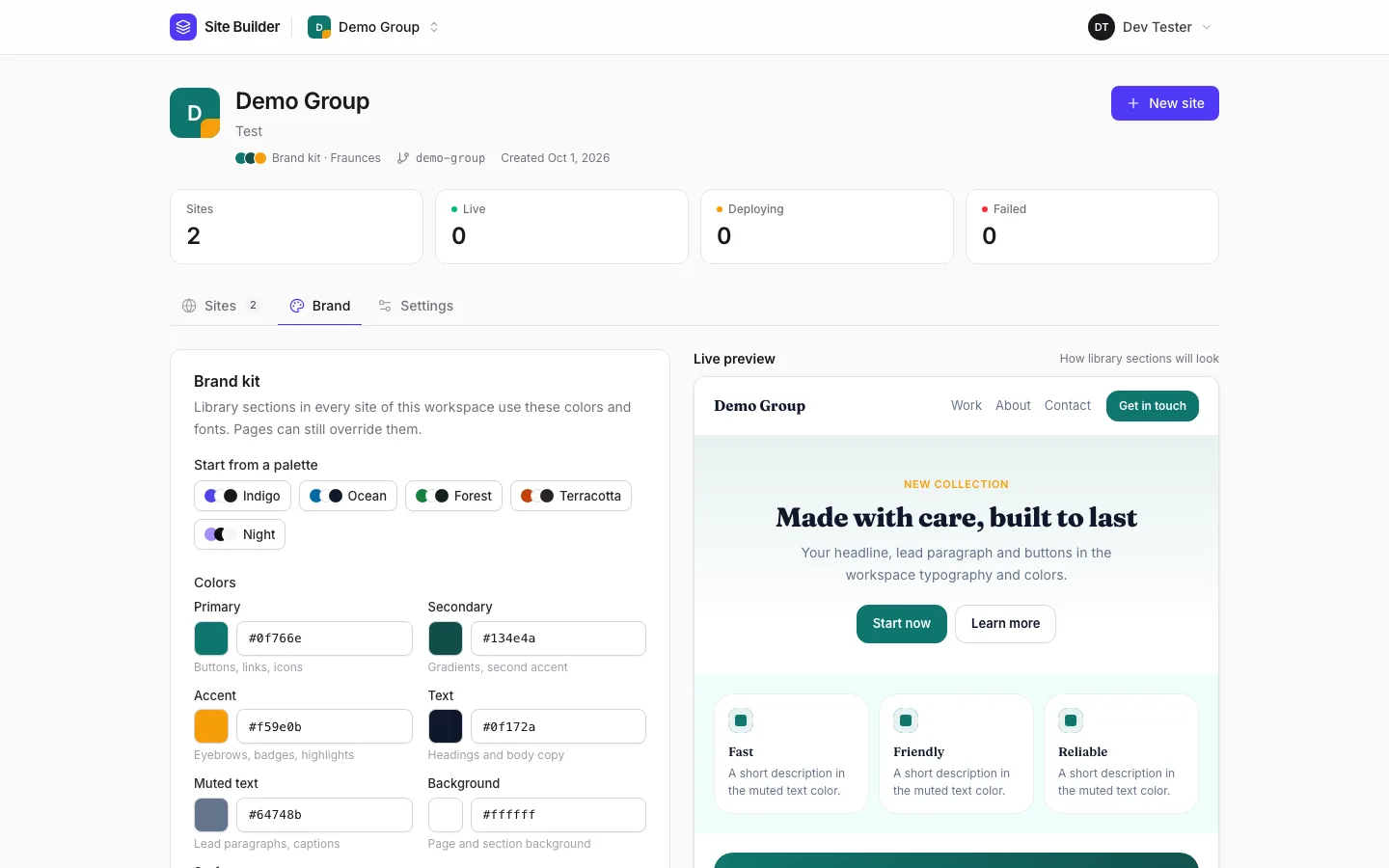
One per client or brand. Set its colors, fonts and corner radius once in the brand kit.
Its Git repository and its deployment are created for you, with a homepage ready to edit.
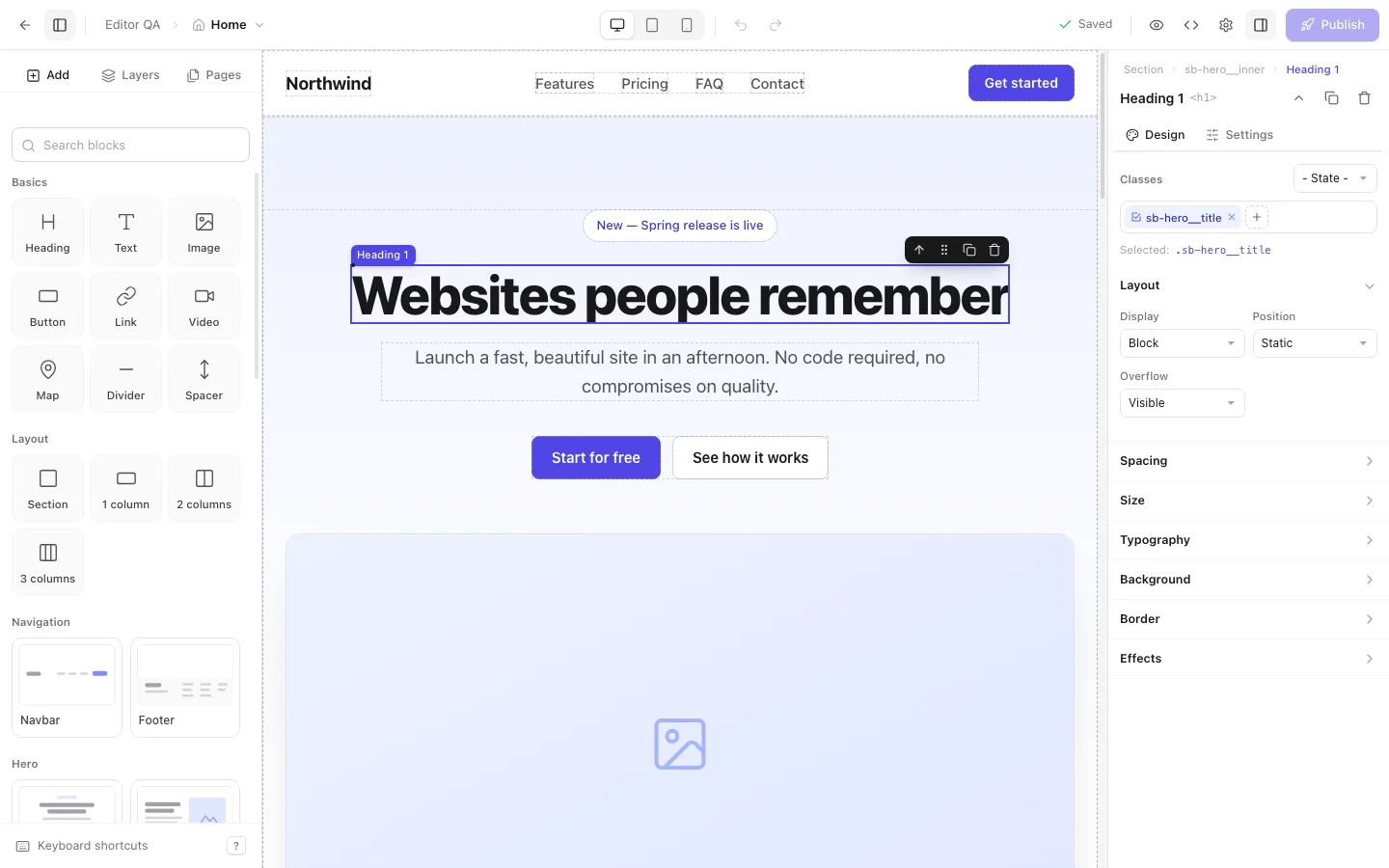
Drop in on-brand sections, tune every style, or ask the assistant to make the change.
One click commits every page and deploys it. Point the client’s domain with guided DNS.
A real editor for designers, an assistant for the busywork, and the plumbing (repositories, deployments, domains, backups) handled for you.
Drag in heroes, feature grids, pricing tables and footers that already follow the workspace brand. Then refine anything: layout, spacing, typography, per-device styles, layers, and the code itself.
It inspects the page, changes it section by section and knows what you selected. Every message is one undo away.
One per client: colors, fonts and radius shared by every section and every page.
Several domains per site, a primary one, www redirects, and checks that say what to fix.
Every publish commits the pages and redeploys. Every publish is also a restore point.
Runs next to your Gitea, Coolify and S3-compatible storage. Sites are plain static files in Git you can take anywhere.
The screens you will spend your day in.
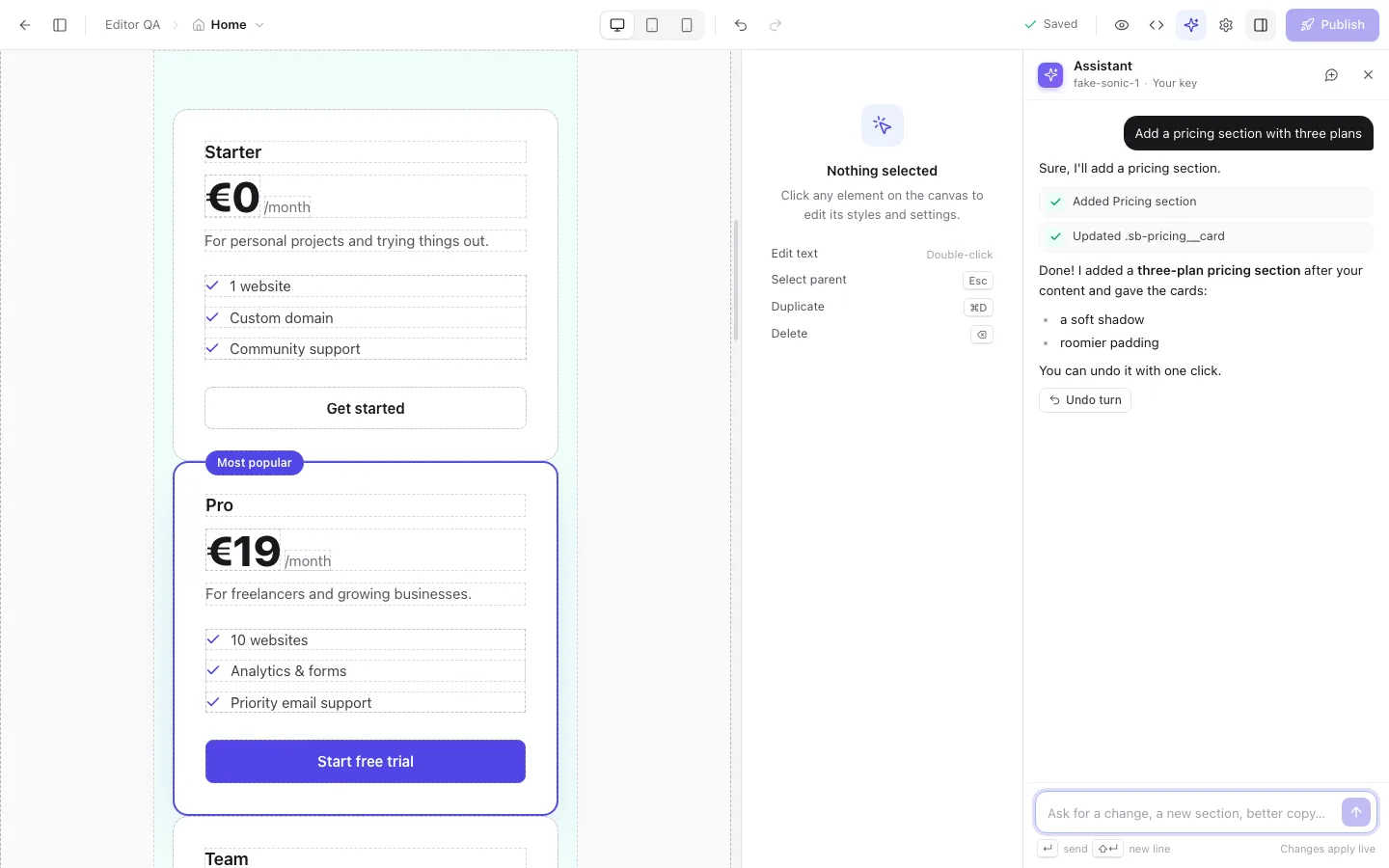
The assistant reads the page, edits it section by section and reports what it did. One click undoes a turn.
Anything else? Sign up and look around: the first workspace takes a minute.
On your own infrastructure. Every site is a Git repository on your Gitea, built and served by your Coolify. Nothing depends on a third-party website host, and you can download a site’s source at any time.
Bring your own key for OpenAI, Anthropic, Groq, OpenRouter, Mistral, Ollama or any OpenAI-compatible endpoint, per user or per workspace. If the platform has a model configured, it is used when you have no key of your own.
Yes. Add as many domains as you need, pick the primary one and redirect www to the apex (or the other way round). The DNS check tells you exactly which record to create and confirms when it is right.
Every publish is a commit, so every publish is also a backup. Pick an earlier one from the site’s Backups tab and restore it.
Yes. Open the code editor for a page’s HTML, CSS, JavaScript and head. Sites can use plain CSS, Tailwind or Bootstrap, and your CSS is kept as written.
With Google or GitHub when your server has them enabled, or with an email and a password. Two-factor authentication is available for accounts that need it.
Create an account, set up a brand kit and publish a first page today.